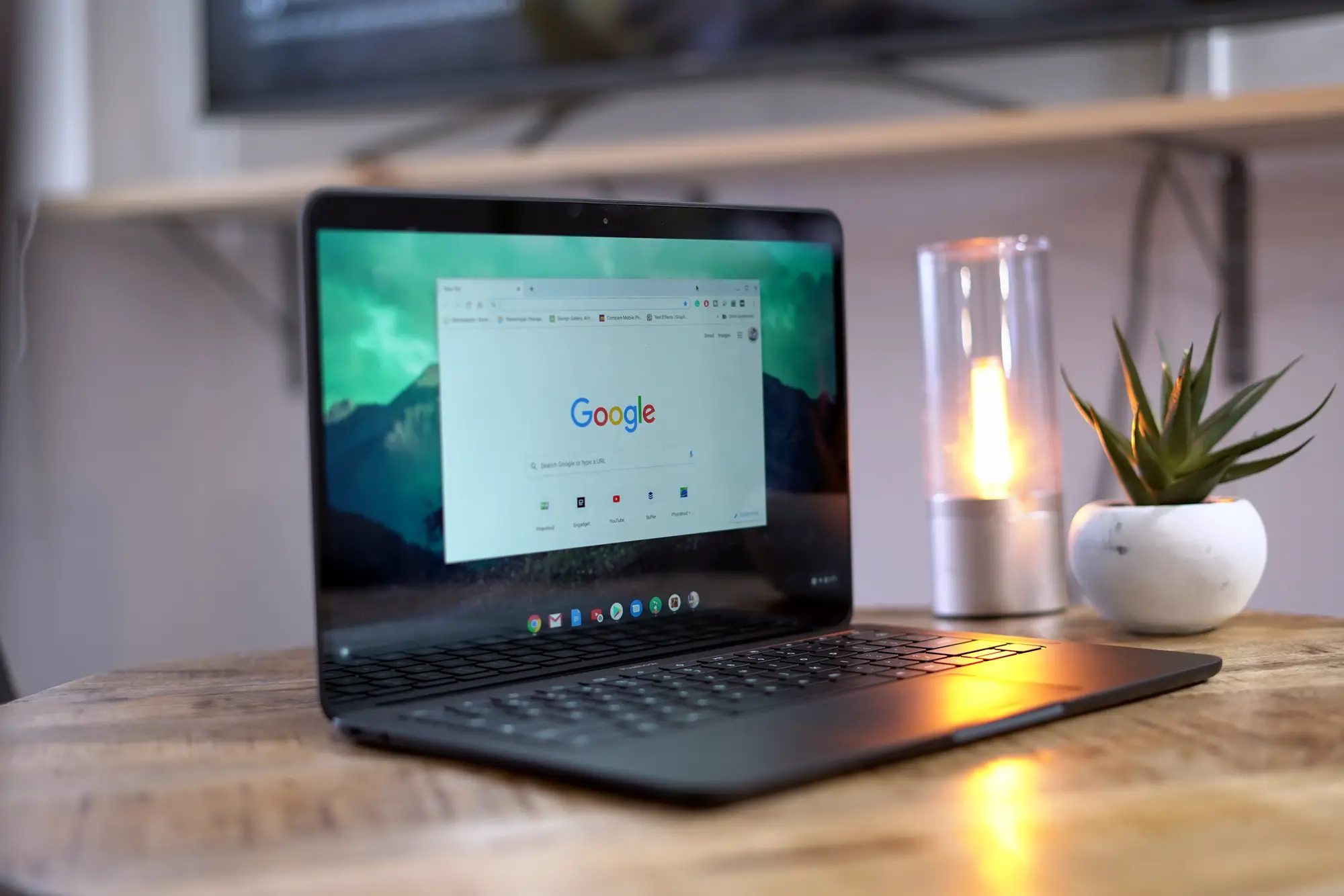
You know that moment when you’re racing a deadline and your wireless keyboard dies? You scramble for a charging cable, dig through drawers for batteries, or worse, switch to your laptop’s cramped keyboard. It’s the kind of interruption that shouldn’t exist in 2024. The Logitech Signature Slim Solar+ K980 solves this problem in the most elegant way possible: it charges itself using whatever light is already on your desk.
If you’re shopping for a Logitech wireless keyboard that eliminates battery anxiety entirely, the K980 deserves serious consideration. Design-wise, it follows the same aesthetic as Logitech’s MX Keys lineup, featuring clean lines and a professional look. The low-profile build keeps things sleek, while the full-sized layout means you’re getting a proper numpad and navigation cluster. No compromises on functionality here.
Build Quality and Design

The K980 feels solid right out of the box. Weighing 700 grams and measuring 430.8mm wide by 142.9mm deep, it’s slightly larger than typical full-size keyboards. That extra width might be noticeable if you’re tight on desk space, but the trade-off is a comfortable, spacious layout. At just 20.2mm tall with no fold-out feet, this keyboard keeps your wrists at a natural angle without needing a separate wrist rest.

The build quality is also pretty impressive. The keys don’t wobble, and the body doesn’t flex under pressure. Logitech says it made the graphite version using 70% recycled plastic. This results in a pleasant matte finish with a slightly roughened texture that resists fingerprints. The keys themselves feature this same non-slip surface, which feels great under your fingers during long typing sessions. However, certain plastics are known to develop a shine to them over time due to the oils from our fingers. I’m not sure if the Logitech K980 will fall victim to this eventually, but even if it happens it’s not a big deal. It just proves how much you’ve been using the keyboard.
The solar charging strip runs across the top edge above the function keys. It blends into the design surprisingly well, though the recessed slats can collect dust and pet hair. If you have cats or dogs, you’ll want to clean it regularly to maintain optimal charging efficiency. Also, avoid placing items on it. It looks like it might be a great slot for your pens or the Apple Pencil, but it might interfere with the charging.
Typing Experience: Laptop-Style Keys Done Right

Let’s address this upfront: the K980 uses scissor switches, not mechanical ones. This is a laptop-style keyboard through and through. Key travel is short, tactile feedback is subtle, and the overall feel mimics what you’d get on a premium notebook.
For some people, this will require an adjustment period. If you’re coming from a traditional mechanical keyboard, expect about a week to fully adapt to the lower profile and shorter travel distance. However, once you acclimate, the typing experience is genuinely comfortable. The keys provide just enough resistance to confirm your keystrokes without requiring much force, and the slightly bouncy feel is reminiscent of quality scissor switches.
The keyboard is rated for 10 million keystrokes, which should translate to years of reliable use even for heavy typists. Typing remains relatively quiet too, making it suitable for shared workspaces or late-night sessions when you don’t want to disturb anyone.
One Major Trade-Off: No Backlighting

Here’s the biggest compromise you’ll make with this Logitech wireless keyboard: zero backlighting. The keys have printed legends that are perfectly legible in normal lighting conditions, but in dimly lit or dark rooms, you won’t be able to see what you’re typing. This is the primary difference between the K980 and Logitech’s more expensive MX Keys lineup, which features backlit keys.
If you work in well-lit environments or you’re a touch typist who never looks at the keys anyway, this won’t matter. However, if you frequently work in darker settings or enjoy moody gaming sessions with minimal lighting, the lack of backlighting becomes a real limitation.
Solar Charging: The Game Changer

This is where the K980 truly separates itself from every other wireless keyboard on the market. The solar panel requires just 200 lux of illumination to charge, which means your desk lamp, monitor backlight, or even ambient room lighting will keep it topped off. You don’t need direct sunlight or special positioning.
Logitech claims the internal battery can run for up to four months in complete darkness once fully charged. That’s an impressive reserve for those stretches when you’re working in darker conditions. The company also states the battery itself is designed to last 10 years, and the fact that there’s no charging port anywhere on this keyboard shows serious confidence in that claim.

In real-world testing, charging isn’t lightning fast. If you leave the keyboard unused for a day under typical office lighting, the battery regenerates about five percentage points. However, during normal use with adequate lighting, the battery essentially maintains itself indefinitely.
The Logi Options+ software includes a light level checker that tells you whether your current environment provides sufficient illumination for charging. It’s a small feature that provides genuine peace of mind, especially if you work in spaces with variable lighting.
Connectivity and Multi-Device Support

The K980 connects via Bluetooth and supports Easy-Switch functionality, allowing you to pair with up to three devices simultaneously. Dedicated buttons let you switch between your laptop, tablet, and smartphone with a single tap. This feature is incredibly useful for people who work across multiple devices throughout the day.
There’s also support for Logitech’s Logi Bolt receiver, but it’s not included in the standard package. If you want that wireless dongle connection instead of Bluetooth, you’ll need to purchase the Business Edition or buy the Logi Bolt receiver separately for around $13.99. The keyboard works with Windows, macOS, Linux, Android, and iPadOS, making it genuinely platform-agnostic.
Software Customization with Logi Options+
Logitech’s Options+ software unlocks additional functionality for the K980. You can customize almost every key, program Smart Actions for repetitive tasks, and create device-specific profiles that automatically load when you switch between your paired devices.
The function row includes pre-configured shortcuts for common tasks like opening the calculator, muting your microphone for video calls, or adjusting screen brightness. There’s even an AI Launch key that can open ChatGPT in a dedicated Options+ window for quick queries. The customizable Action Keys let you automate workflows, launch specific apps, or execute complex macro combinations with a single keystroke.
The software also shows battery status and provides that light level indicator we mentioned earlier. The interface is clean and intuitive, making customization straightforward even for users who aren’t particularly tech-savvy.
Who Should Buy This Keyboard?
The Logitech wireless keyboard K980 makes the most sense for office workers, content creators, and anyone who spends significant time typing in well-lit environments. If your workspace gets decent natural or artificial light, you’ll genuinely never need to think about charging this keyboard.
It’s also ideal for people who value sustainability. The recycled plastic construction and the elimination of disposable batteries align with eco-conscious purchasing decisions. Plus, that 10-year battery lifespan means you’re not contributing to electronic waste as frequently as you would with traditional wireless keyboards.
However, this keyboard isn’t for everyone. Gamers who need backlighting for late-night sessions should look elsewhere. Mechanical keyboard enthusiasts who crave deep key travel and customizable switches won’t find what they’re looking for here. And if you frequently work in dimly lit spaces, the lack of backlighting becomes a significant drawback.
The Bottom Line
At $99.99, the Logitech Signature Slim Solar+ K980 sits comfortably in the mid-range wireless keyboard market. You can find cheaper Bluetooth keyboards if cost is your only concern, but you’d be hard-pressed to find another option that eliminates charging entirely while maintaining this level of build quality and features.
The K980 delivers on its core promise: a wireless keyboard you truly never need to charge. The solar technology works as advertised, the typing experience is comfortable once you adjust to the laptop-style keys, and the multi-device switching makes it incredibly versatile. The lack of backlighting is the primary compromise, but for many users working in adequately lit spaces, that trade-off is entirely acceptable.
If never worrying about battery life sounds worth it to you, you can grab the Logitech Signature Slim Solar+ K980 on Amazon and say goodbye to charging cables for good.
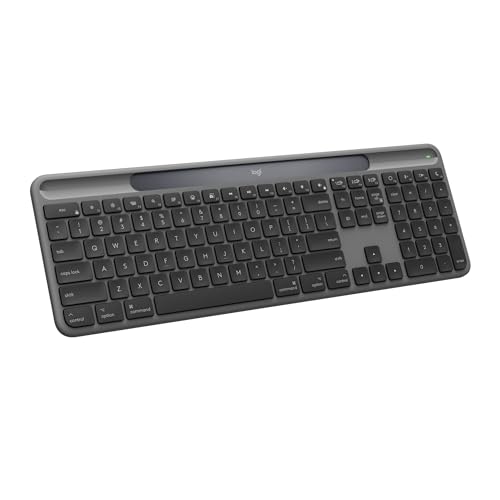
- Always powered – A full-size wireless keyboard made for Mac with instant and uninterrupted typing under any light source -...
- Powered by Logi LightCharge – A charging innovation that combines a light-absorbing strip and a durable energy-efficient...

Note: this article may contain affiliate links that help support our authors and keep the Phandroid servers running.
The post Logitech K980 Review: The Set-It-and-Forget-It Wireless Keyboard appeared first on Phandroid.