
Welcome to shopping tech deals in 2026, where we’re facing a new kind of predicament thanks to hardware shortages.
Consider shopping in a supermarket: A gallon of premium milk costs $6. It’s on sale for $4.50. The grocer marks the price down (“$1.50 off”) and tells you what you’d normally spend, how much the discount is, and what the actual sale price is. It’s all very clear.
Buying PC components in 2026 isn’t like that at all, especially for hard-to-buy items like storage and memory. Suddenly, all of our assumptions are up in the air, compounded by confusing language whose relationship to reality grows more and more distant.
Look at the following Amazon listing for its “Big Spring Sale” on a WD SSD. Even though I already own a “WD Black” hard drive and SSD, my first instinct is to question whether this is a legitimate listing, given that it’s unusual for the “WD [underscore] Black” branding to be spelled out. Second, is 57 percent off a good price? It looks so at first glance.
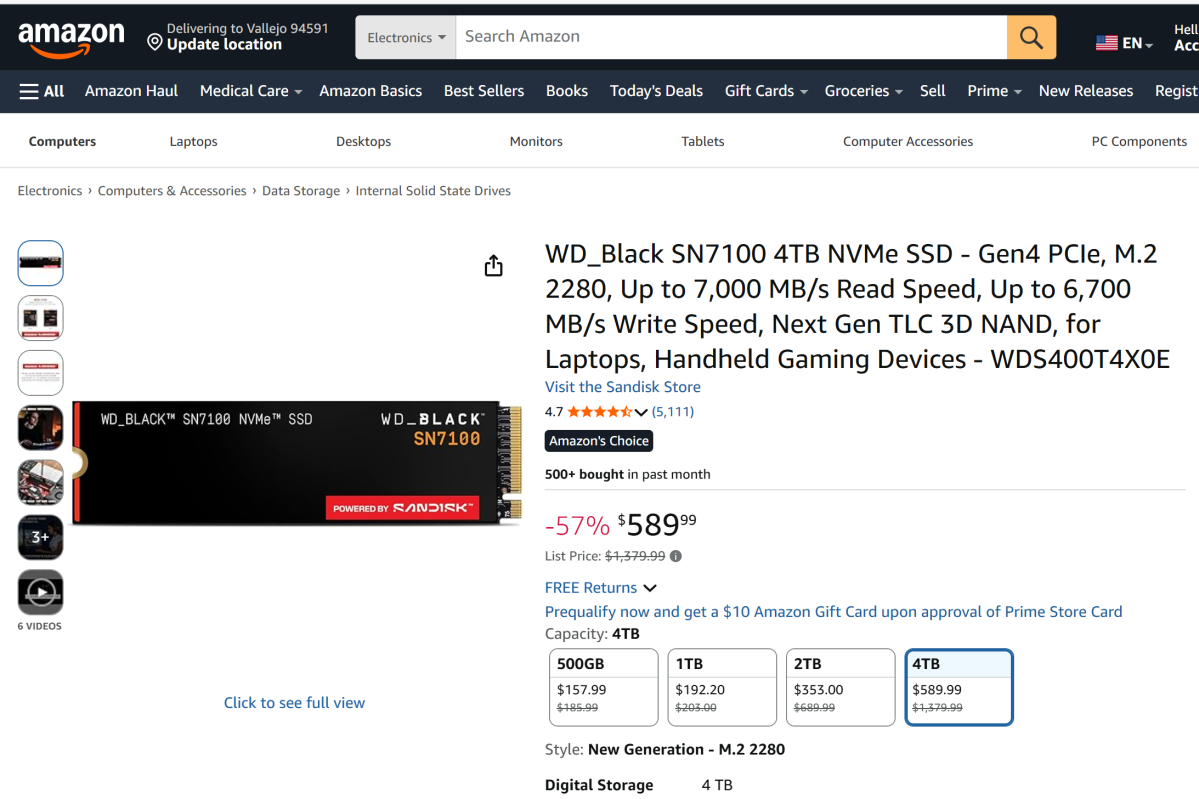
But that’s compared to the “list price,” which Amazon defines as “the suggested retail price of a new product as provided by a manufacturer, supplier, or seller,” which must be hovered over with your mouse to reveal. “Except for books, Amazon will display a List Price if the product was purchased by customers on Amazon or offered by other retailers at or above the List Price in at least the past 90 days. List prices may not necessarily reflect the product’s prevailing market price.”
That definition means almost nothing. WD launched the SN7100 M.2 SSD in late 2024 (and added the 4TB model in 2025), so this drive isn’t new. Has it been purchased before on Amazon? I’d say so, which negates the need to try and understand if another retailer sold it “at or above the List Price,” whatever that is. And if Amazon’s List Price doesn’t reflect the prevailing market price, what does it reflect? It’s all nonsense. And that’s not even saying anything about what the “new generation” language tells or doesn’t tell consumers.
The problem is, we already know that both RAM and SSD prices skyrocketed upward at the end of 2025, but no one really knows what those prices actually are. Prices fluctuate, but we have no way of knowing if Amazon bought this SSD for ~$300 twelve months ago and priced it higher to take advantage of market forces, or whether WD sold it to Amazon at or near the $1,379 “list price” Amazon is charging.
What’s the price WD sold it for? What price did Amazon buy it for, and when? What’s the comparative price of the exact SSD at another retailer? How has this price fluctuated over time? All of these are unknowns—and basic algebra teaches us that too many unknowns means the equation is unsolvable. That’s exactly what shopping feels like right now, especially shopping for tech components.
So when Amazon and competing tech sites advertise “sales” where you can “save $1,030″… well, it’s disingenuous.
The shopping tools you need right now
Fortunately, there are tools to help you track the actual price history of a product, and these tools are more valuable than ever.
CamelCamelCamel.com is one of them. Below you’ll see the price of this exact product tracked by CamelCamelCamel versus the same SSD tracked by Keepa. Keepa does a better job snapping up the exact price that Amazon is charging, though CamelCamelCamel gets close.
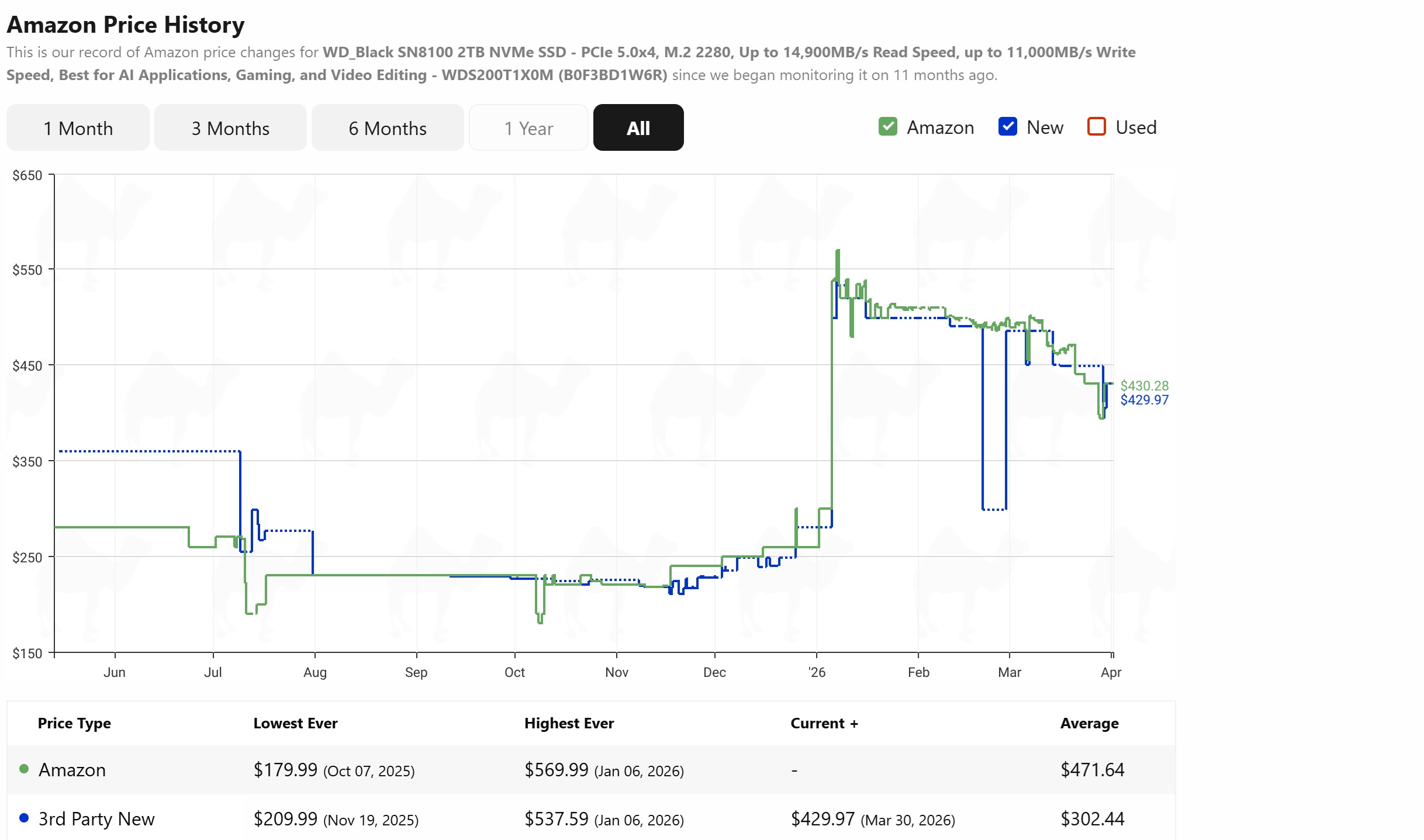
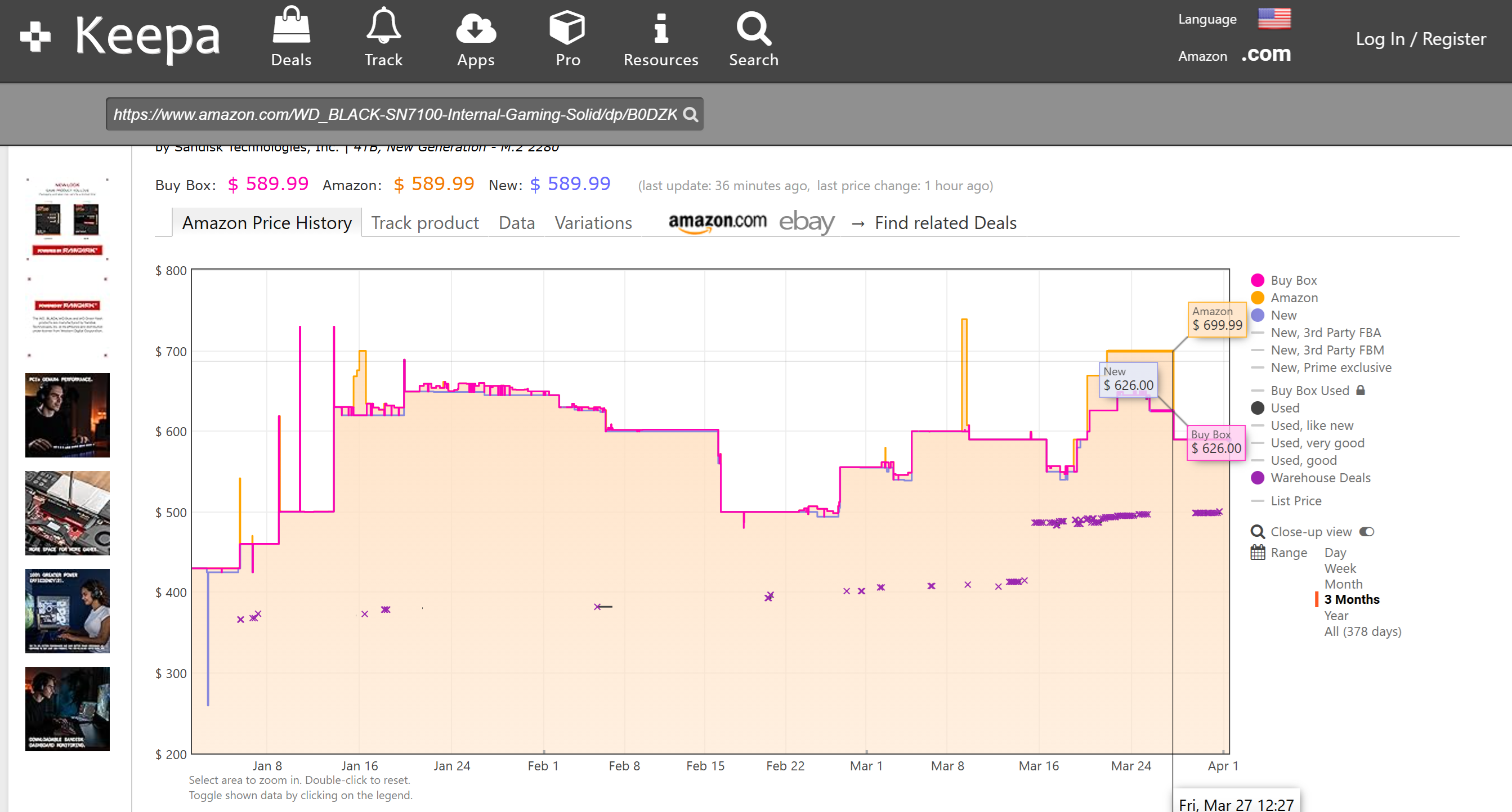
The immediate takeaway is that Amazon’s “List Price” is basically bullshit. Yes, a competing site somewhere may have sold that SSD for $1,379. But Amazon, the site you’re currently shopping on, never offered a price close to that. Ever. The highest price of this M.2 SSD was, briefly, $739.32 on March 9 (Keepa) or $569.99 on January 6 (CamelCamelCamel).
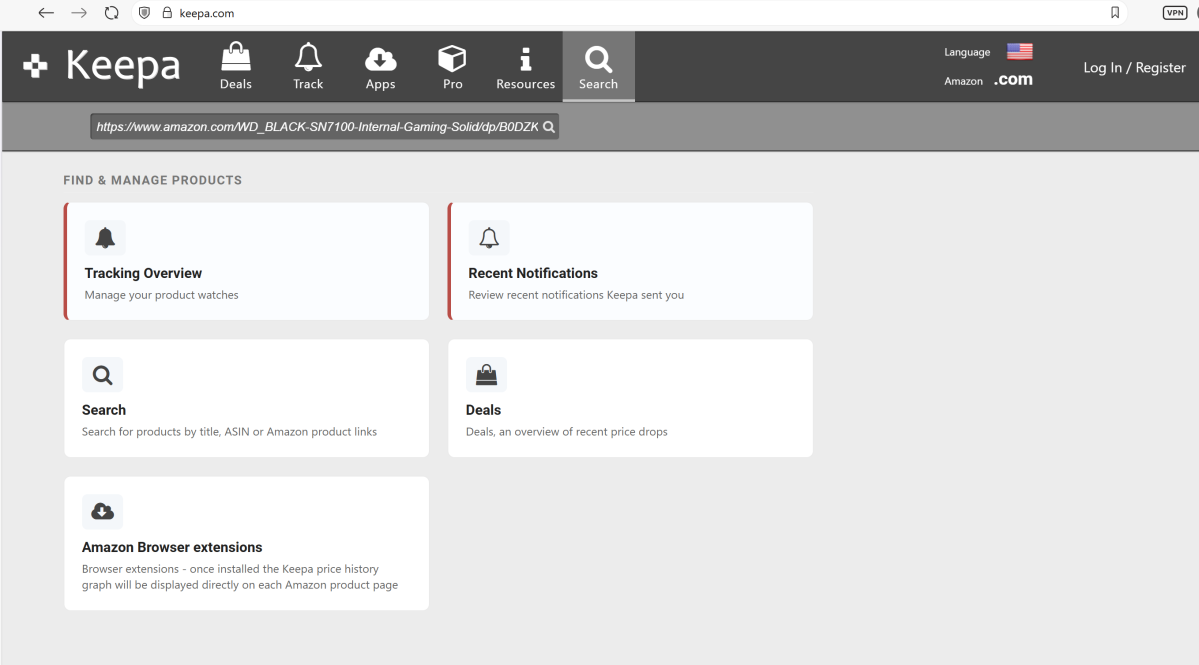
My colleague Alaina Yee, who orchestrates some of our best holiday deals coverage, uses Slickdeals to monitor individual promotions and track prices. Keepa also offers a Chrome extension you can use to more easily track pricing information.
I really like the way Microsoft Edge itself integrates price tracking, but you need to know where to look. Occasionally, you’ll see a small notification slide out from the URL bar, informing you that Edge has found a better price elsewhere. In general, though, you have to hunt down the teeny-tiny “price tag” icon at the top of the screen.
Edge’s price tracker wasn’t designed to accommodate the sharp price jumps that take place in a short time, though. You can move your mouse over to “follow” the price of an item through its highs and lows, but you can’t really “zoom in” to see the more recent price adjustments like the other services can. Still, it’s great for a historical comparison.
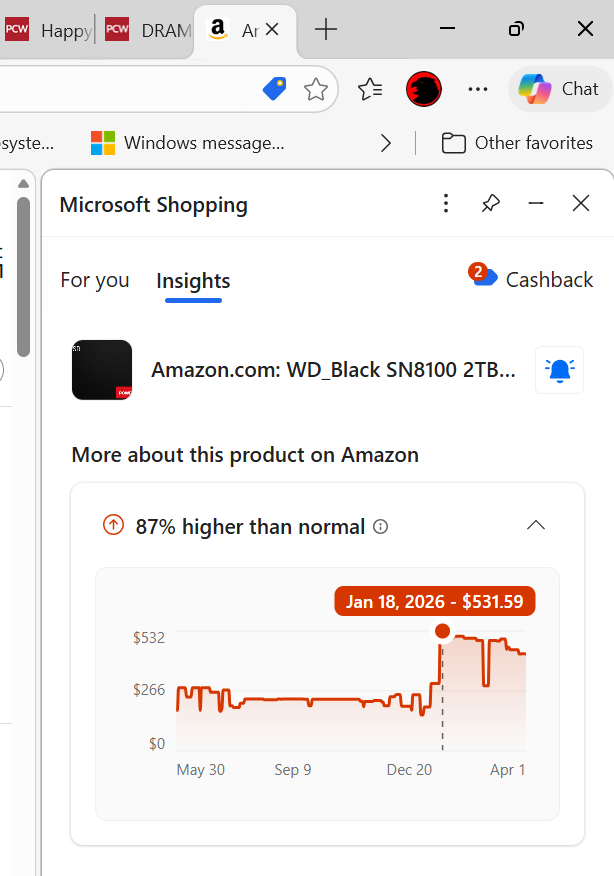
Of the services I’ve mentioned, I like Keepa the best. The point, however, isn’t that you need to settle on a particular price tracker; rather, use them to do comparison shopping. PCPartPicker’s trends page can also offer a reality check for prices of generic components like RAM and SSDs.
What it comes down to is this: the idea of “sales” is increasingly meaningless. Price trackers reveal how retailers raise prices (even briefly) a few weeks in advance, then “discount” those prices and claim they’re offering you a “deal.” That’s why, out of all the “deals” that retailers and manufacturers promote, our deals coverage involves poring over historical pricing and other trends. Recent examples point to the ludicrous nature of these retailer tactics—why not just say that the “real” price of an SSD or RAM stick is $1,000? Or $2,000? Or more?
There has to be a good-faith agreement between manufacturer, retailer, and shopper that a price being offered is legitimate, that it’s based upon a real promotional discount, and that it doesn’t require an additional hurdle like a subscription, app, or (shudder) mail-in rebate. That agreement is disintegrating, and you owe it to yourself to fight back.


